
Google Wallet
Google LLCFinance
4.3123.32K Reviews
- Version
- Varies With Device
- Installs
- 1.00B
- Age Rating
- Everyone
Screenshots
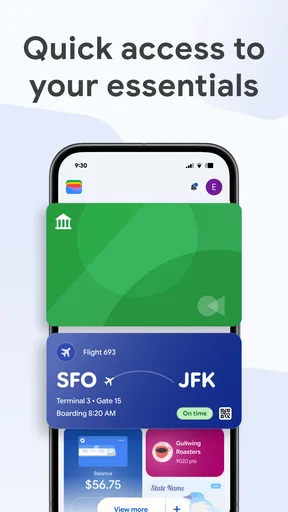
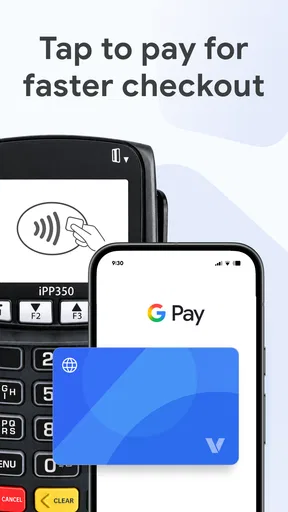
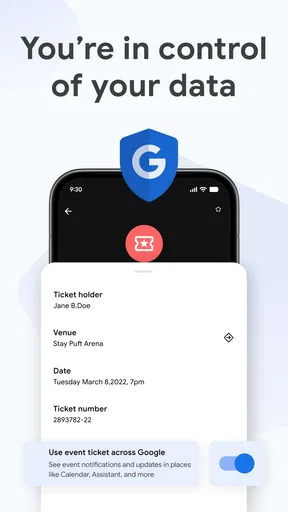
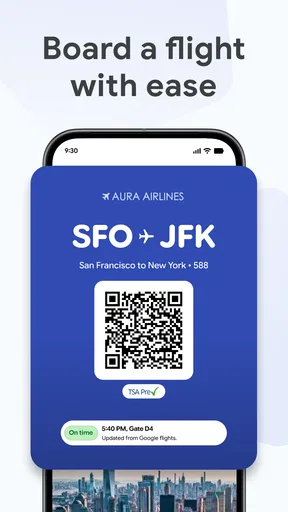
Our Review of Google Wallet
 Analysis by Appyee
I find that mobile wallets feel effortless only when the phone, payment terminal, and network all cooperate. Google Wallet is most useful when I treat it as a convenient way to carry selected cards and travel items, rather than as a replacement for every form of payment. That distinction matters: a digital wallet can shorten routine moments, but it does not remove the need to plan for a dead battery, a card that cannot be added, or a service that depends on a connection.
When the network becomes part of the payment
Some parts of using a wallet are naturally online: setting things up, managing what is stored, and dealing with services that need current information. At the checkout, the experience may feel immediate, but I would not build a travel day around assuming every item or payment will work in every network condition. I keep a physical payment card as a fallback, especially when I am going somewhere unfamiliar or expect patchy reception.
That is less a criticism of this particular app than a sensible habit with any phone-based payment method. A quick tap is convenient, but it is not a guarantee that every terminal, card issuer, pass, or local payment setup will behave the same way. Before relying on Wallet for an important trip, I would add the items I need in advance and check that they appear correctly in the app.
Everyday situations where it earns its place
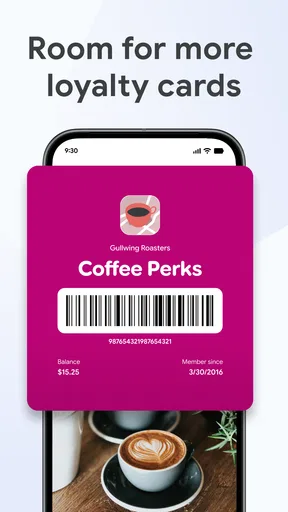
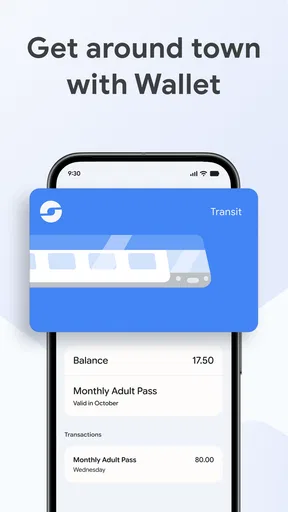
For a normal commute, the appeal is less about replacing a whole wallet and more about removing a few small hassles. I can keep a payment card and a relevant pass together, then avoid digging through a bag while boarding or checking out. If I am meeting friends for lunch, I can also use the app as a handy place to keep a loyalty card rather than remembering which pocket it is in.
A realistic example is a morning when I am carrying coffee, a work bag, and my phone while heading through a busy station. Having the payment method ready on the phone can make the checkout less awkward. But if the phone battery is nearly empty, or a pass has not loaded as expected, the convenience disappears quickly. I would still carry a backup card for a long day out.
Choosing what to store—and what not to
I would start with the items I actually use: a frequently used payment card, a pass for a regular journey, or a loyalty card that otherwise gets forgotten. Adding every card just because the app can hold them can make the wallet harder to scan and maintain. A smaller, intentional collection is quicker to navigate and easier to check before leaving home.
There is also a useful distinction between a digital copy being convenient and it being accepted everywhere. A merchant or service may handle a physical card, ticket, or pass differently from its digital counterpart. When a particular item is essential, I check its instructions and keep the original or another accepted option until I know the phone version works in that setting.
Recovery habits that prevent a bad surprise
If a payment fails, I would first check the simple causes: whether the phone is unlocked as required, whether the card is still available in Wallet, and whether the terminal supports the payment method. Trying the same tap repeatedly is rarely the best next step. A physical card or another accepted method can get the purchase finished; later, I can check the card or account settings without holding up a queue.
Before travelling, I also make sure I can access my Google account and know how I would secure the phone if it went missing. Remote locking or wiping can help protect a lost device, but it is worth thinking through recovery before an emergency: keep account recovery details current and avoid relying on the missing phone as the only way to sign in elsewhere. The practical lesson is simple: a wallet app can help with payments, while good account and device habits help with the unpleasant edge cases.
Who will appreciate it, and who may prefer another option
Wallet is a strong fit for someone who already uses Google services and wants commonly used payment cards and passes together on a phone. Google LLC develops it, and the app sits in the finance category while serving a broader everyday role than budgeting or investment tools. It is free, rated for Everyone, and has a 4.4 average from around 2.2 million ratings, with over 1 billion installs. Those figures suggest wide adoption, but they do not guarantee that a particular bank, card, pass, or device will be supported in your situation.
If you mainly want to track spending, set budgets, or review transactions across accounts, a dedicated banking or personal-finance app is likely a better fit. If your household relies on another phone ecosystem, that platform’s built-in wallet may be more convenient. On iOS in particular, I would compare the available functions with Apple Pay before switching routines; the best choice is usually the one that works naturally with your devices and the services you use.
Connectivity, privacy, and practical trade-offs
Keeping a wallet on a phone means balancing convenience with sensible data habits. I avoid using public connectivity casually for account changes, and I prefer to manage cards and passes before I am rushing to a gate or checkout. When I do need to make a change, I check that it has taken effect rather than assuming a screen tap completed the whole process.
Security features such as device authentication and tokenization can reduce exposure during a payment, but they do not make a phone invulnerable. A strong screen lock, prompt software updates, and a secure Google account still matter. I also consider the basic trade-off: the more useful items I consolidate on the phone, the more important it becomes to protect the device and have a backup plan.
Google Wallet first appeared on June 24, 2011, and it requires Android 9 or later. If your device runs an older system, or if your payment provider does not support the card you want to add, the app may not fit your setup. I would check compatibility before moving a daily routine over, rather than discovering a limitation when I am already at a counter.
For me, the clearest reason to use it is convenience in the small moments: paying without reaching for a physical card, finding a pass quickly, or keeping a loyalty card close at hand. The clearest reason not to rely on it exclusively is that a phone and its services introduce dependencies that a simple physical card does not. Used as a practical companion with a backup payment method, it makes sense; used as the only plan for every journey, it asks for more trust than I would give any single wallet.
So, I recently got my hands on Google Wallet, and let me tell you, it’s like having a personal banker tucked away in your pocket. Whether you're a tech-savvy spender or someone just dipping their toes into the digital wallet world, this app is worth a peek. Let’s dive into what makes this app tick and why it might just become your new favorite financial tool.
Simplifying Payments with a Tap
First off, let’s talk about the ease of use. Ever been in line at a coffee shop, fumbling for your wallet while juggling your phone and keys? Enter Google Wallet. With just a tap of your phone, you can pay for your morning brew. It’s genuinely that simple. You’ll need a phone that supports NFC (most modern smartphones do), and once you set it up, you’re golden.
The setup process is pretty straightforward. Just download the app, link your bank account or credit card, and you’re ready to go. The interface is clean and intuitive, which is a breath of fresh air when you’re dealing with finances. No one wants to feel like they need a PhD to use their own money, right?
Security: Because Peace of Mind Matters
One of the standout features of Google Wallet is its security measures. With fingerprint authentication and encrypted transactions, you can be sure your money is in safe hands. Plus, if you ever lose your phone, you can lock or wipe it remotely, so there’s no need to panic.
Google has also implemented tokenization, which means your actual card number isn’t stored on your device or shared with merchants. Instead, a virtual account number is used, adding an extra layer of security. It's like having a secret vault for your financial info.
Beyond Payments: The Extra Perks
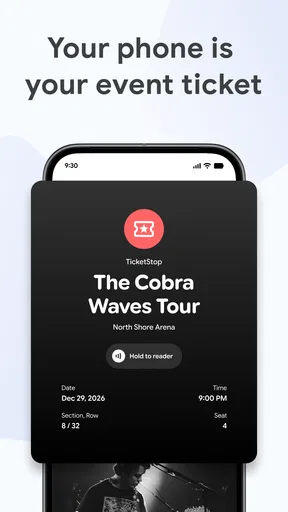
But wait, there’s more! Google Wallet isn’t just about making payments. It also allows you to store loyalty cards, gift cards, and even boarding passes. Imagine having everything you need for a trip in one place. No more scrambling through your bag at the airport — it’s all there on your phone.
There’s also a neat feature for splitting bills with friends. Whether you’re splitting dinner or a group gift, you can do it all within the app. Just send a request, and your friends can pay you back directly. It’s a lifesaver for those "I’ll pay you later" moments that never seem to resolve.
Usability Across Platforms
The app is available on both Android and iOS, so no one’s left out. It syncs seamlessly with other Google services, making it a no-brainer if you’re already embedded in the Google ecosystem. It’s like Google’s giving you a gentle nudge to streamline your digital life.
While the app excels on Android, iOS users might find it a bit limited compared to Apple Pay. However, it still offers robust functionality and is a great alternative if you prefer Google’s ecosystem.
Wrapping Up: Is It Worth It?
In a world that’s moving rapidly towards digital everything, Google Wallet feels like a step in the right direction. It’s convenient, secure, and packed with features that make managing money a breeze. Whether you’re buying a coffee, splitting a bill, or managing loyalty cards, it’s all possible with a few taps.
If you’re looking for a digital wallet that’s easy to use and backed by one of the biggest tech giants, Google Wallet is definitely worth considering. Give it a try, and you might just find yourself wondering how you ever lived without it!
Privacy and Permissions
See what permissions an app requests and how it handles your data.
- Identity
- find accounts on the device
- Contacts
- find accounts on the device
- Location
- approximate location (network-based), precise location (GPS and network-based)
- Phone
- read phone status and identity
- Photos/Media/Files
- read the contents of your USB storage, modify or delete the contents of your USB storage
- Storage
- read the contents of your USB storage, modify or delete the contents of your USB storage
- Camera
- take pictures and videos
- Wi-Fi connection information
- view Wi-Fi connections
- Device ID & call information
- read phone status and identity
- Other
- view network connections, pair with Bluetooth devices, access Bluetooth settings, measure app storage space, full network access, control Near Field Communication, run at startup, draw over other apps, control vibration, prevent device from sleeping, read Google service configuration
Verdict
Strengths of Google Wallet
- Seamless integration with Google services.
- Supports a wide range of payment methods.
- Secure transactions with advanced encryption.
- User-friendly interface and easy navigation.
- Quick access to transaction history.
Limitations of Google Wallet
- Limited availability in some regions.
- Requires internet for most features.
- Occasional app update bugs.
- No cryptocurrency support.
- Dependent on Google ecosystem.
Other Releases by Google LLC
View All
Google Calendar
Productivity4.6

Google Messages
Communication4.6

Tools4.0

Google TV
Video Players & Editors3.9
Similar Picks in This Category
View All
Airtel: Recharge, Bank & Loans
Airtel4.0

PayPal - Pay, Send, Save
PayPal Mobile4.2

DANA Indonesia Digital Wallet
PT Espay Debit Indonesia Koe4.5

Binance: Buy Bitcoin & Crypto
Binance Inc.4.8

Cash App
Block, Inc.4.7

MetaTrader 5 — Forex, Stocks
MetaQuotes Software Corp.4.7
You May Also Like
View All


Frequently Asked Questions
What is Google Wallet and how does it work?
Google Wallet is a digital payment service that allows users to make secure payments online and in-store using their smartphones. It works by linking your credit or debit cards to the app, enabling contactless payments through NFC technology. You can also store loyalty cards and boarding passes for easy access.
Is Google Wallet safe to use for transactions?
Yes, Google Wallet is designed with security in mind. It uses encryption and tokenization to protect your payment information. Additionally, it offers features like biometric authentication and PIN protection to prevent unauthorized access. Your actual card numbers are never shared with merchants during transactions.
Can I use Google Wallet on any smartphone?
Google Wallet is compatible with most Android devices running version 5.0 (Lollipop) or later. For iOS users, it requires iOS 10.0 or later. However, the device must support NFC (Near Field Communication) to enable contactless payment functionality in stores.
Are there any fees associated with using Google Wallet?
Google Wallet itself does not charge fees for making purchases or adding funds to your account. However, your bank or card issuer may apply standard transaction fees. It’s best to check with them directly to understand any potential costs associated with your specific accounts.
What should I do if I lose my phone with Google Wallet installed?
If you lose your phone, you can use the Find My Device feature to locate it or remotely lock and erase your data. Additionally, you can access your Google account from another device to remove your cards from Google Wallet, ensuring your information remains secure even if your phone is not recovered.
